Canned responses
Save reusable replies, links, addresses, and photos once.

Canned responses and quick replies, right on your keyboard.
Save reusable replies, images, links, and templates. Paste them from a custom keyboard in one tap, wherever the conversation happens on iPhone and iPad.
iPhone · iPad
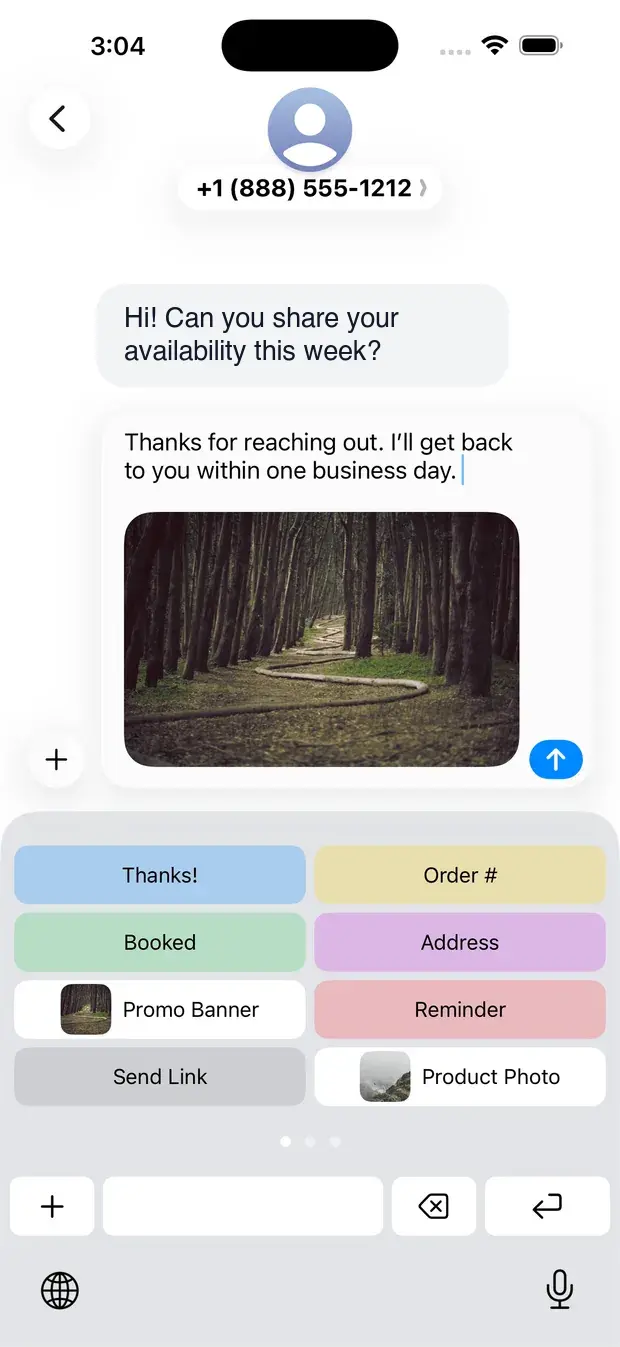
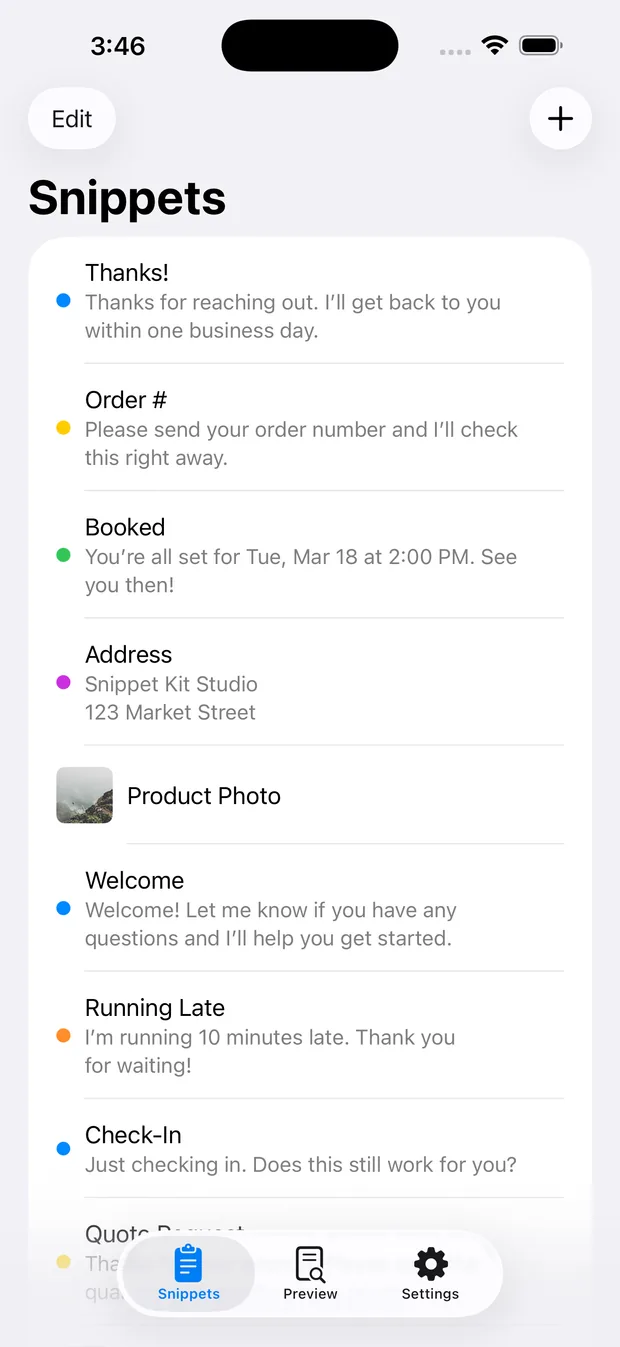
Save reusable replies, links, addresses, and photos once.
Open your custom keyboard, tap a snippet, and keep moving.
Keep every answer clear, accurate, and on-brand.
Snippet Kit keeps your canned responses, saved replies, image snippets, and Magic Variables close to the keyboard, without turning your phone into a workflow maze.
Paste saved replies and text snippets anywhere you can type.
Keep photos, links, templates, and visuals ready.
Insert clipboard text, dates, cursor positions, and more.
Test the paste flow before switching apps.
Understand keyboard access and what each permission unlocks.
Simple lists, quick actions, and predictable snippets.
Create snippets for common replies, links, or images.
Open the Snippet Kit keyboard and choose what you need.
Review if needed, then send a polished response.
Answer repeat questions without sounding robotic.
Keep follow-ups, proposals, and booking links ready.
Reply to DMs, share links, and engage faster.
If you answer the same questions every day (prices, booking details, addresses, refund policies), you have probably tried keeping them in Notes and copy-pasting them one at a time. It works, until you are juggling three apps mid-conversation and pasting the wrong thing.
Snippet Kit takes a different approach: your saved replies live inside the keyboard. You switch to the Snippet Kit keyboard the same way you switch to emoji, tap the snippet you need, and it is inserted right where you were typing. No app switching, no digging through notes, no lost clipboard.
It goes further than Apple’s built-in text replacement, too. Text replacement is great for short abbreviations, but it cannot store images, cannot organize replies by topic, and cannot insert dynamic values. Snippet Kit handles full-length templates, photo snippets, and Magic Variables that fill in dates, clipboard contents, and cursor position at paste time. If you are comparing options, our guide to the best text expander keyboard for iPhone walks through the trade-offs.
Small business owners answering Instagram DMs, support teams working from a phone, sellers fielding “is this still available?”, creators sharing the same collab details all follow the same pattern: a handful of answers, sent dozens of times. Snippet Kit keeps those answers one tap away and consistent every time. For concrete workflows, see how to use canned responses on iPhone and customer support reply templates.
Everything stays on your device. Snippet Kit does not require an account, and your snippets are yours.
Snippet Kit is an iPhone and iPad app for canned responses, quick replies, and saved snippets. You save reusable replies in the app, then paste them from a custom keyboard in messages, email, support tools, social apps, and more.
Canned responses on iPhone are pre-written replies you can reuse when the same questions come up again and again. Snippet Kit helps you save those responses and paste them from a custom keyboard in one tap.
Yes. After you enable the Snippet Kit keyboard, you can open it in supported apps, tap a saved reply, and insert the snippet into the current conversation or text field.
Yes. Snippet Kit supports text and image snippets. From the keyboard, image snippets are copied to the clipboard when Full Access is enabled, so you can paste them into supported apps.
Magic Variables are placeholders that become dynamic text when you paste. They can insert clipboard contents, selected text, cursor placement, random choices, dates, and time-based values.
Yes. Snippet Kit is built for iPhone and iPad, so you can use saved text snippets, image snippets, quick replies, and Magic Variables from a larger keyboard layout on iPad.
Some iOS keyboard features require Full Access, including copying image snippets, reading clipboard variables, saving clipboard or selected text from the keyboard, and opening the main app from keyboard actions.
Save frequently used text and images, then paste them instantly from a custom keyboard with smart variables